MICROSCOBOT™
VIEWER

Every image you've taken
leads to your next study.

View images from all your folders in one place — sort them and manage them in collections.

Free · Windows
AUTO ORGANIZE

Forgot the name?
No problem.

File type, imaging mode, date, stars, tags — one clue is enough. What you pick stays together in a collection.

File typeImaging mode, auto-sortedCollections
FAST & SMOOTH

Big files,
at a glance.

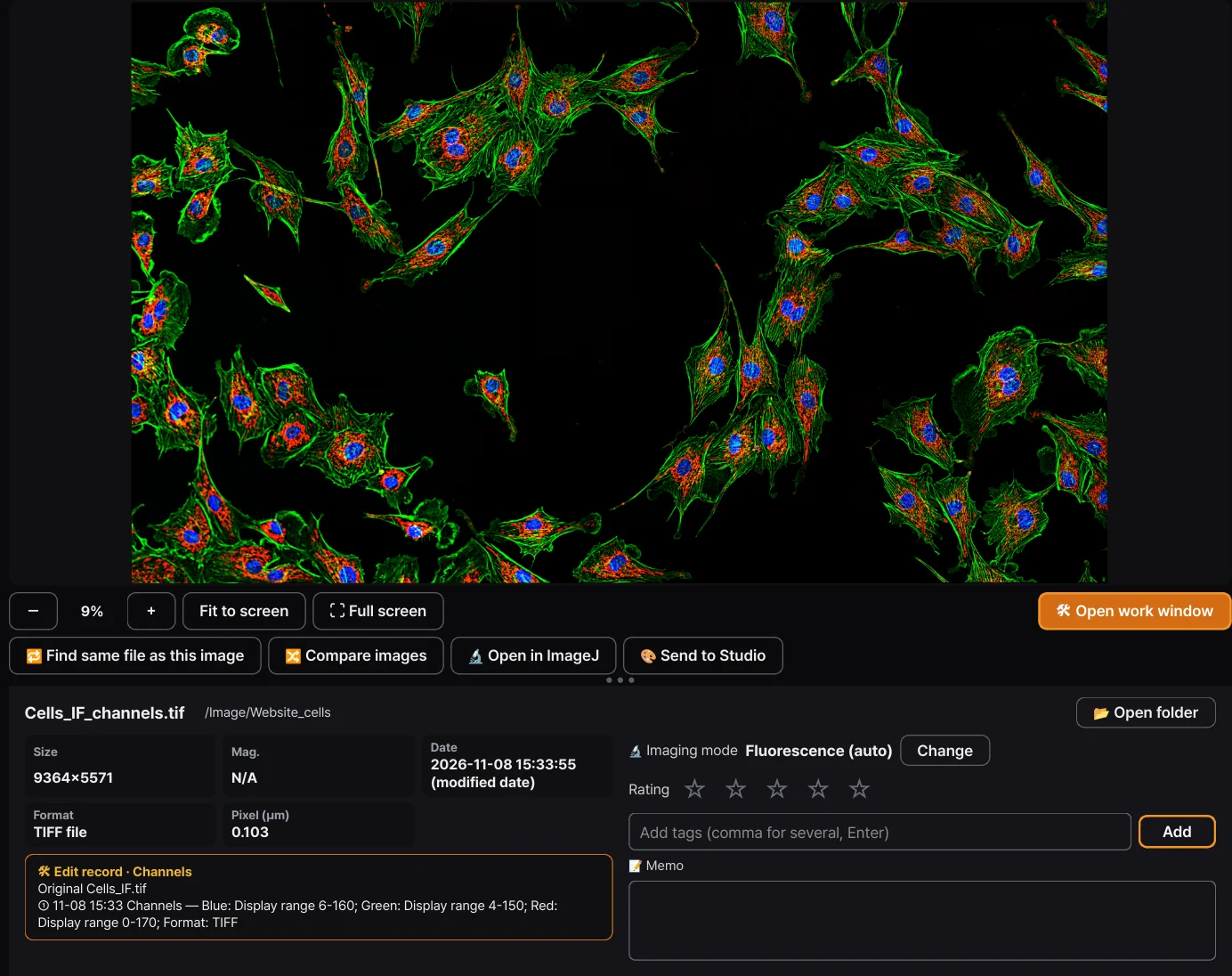
Zoom into images over 200 megapixels and move around right away. The scale bar uses the real pixel size stored in the file.

5× objective · 20,224 × 11,520 pxFull original resolution
AI-CONNECTED

AI-connected,
not AI-generated.

AI doesn't make your decisions; it carries out your instructions precisely. One request, several steps.

Images never leave your PCOriginals untouched
Collect
Find & pick
Zoom in
AI-connected
01 · AUTO ORGANIZE

Forgot the name?
No problem.

Leave your folders as they are. One clue is all it takes.
  • Pick a folder, done — imaging mode sorted automatically, easy to correct
  • Choose sub-folder depth, group by folder
  • Filters — file type, date, stars, tags, collections, imaging mode
  • Find duplicates, export lists to Excel
필터로 거른 갤러리
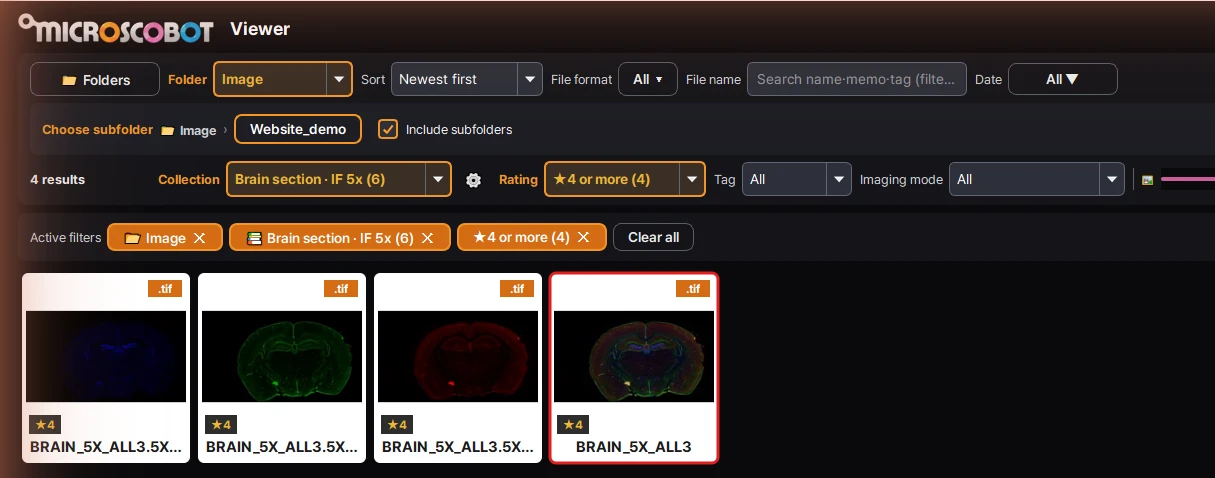
  • Three filters at once — folder · collection "Brain section · IF 5x" · ★4 or more → 4 images left
  • Active filters show as chips above; remove each one with ✕
02 · FAST & SMOOTH

Big files,
at a glance.

Zoom and pan through hundreds of megapixels, right away.

  • Open and zoom large slides instantly
  • Large images save with a preview — copies open fast too
  • Full screen with a thumbnail strip

Files Windows Explorer can't preview — large slides and fluorescence TIFFs — show up as thumbnails.

.svsPyramid TIFF12/16-bit TIFFMultichannel TIFFOME-TIFFImageJ TIFF.tif / .tiff.jpg.png
작업 창
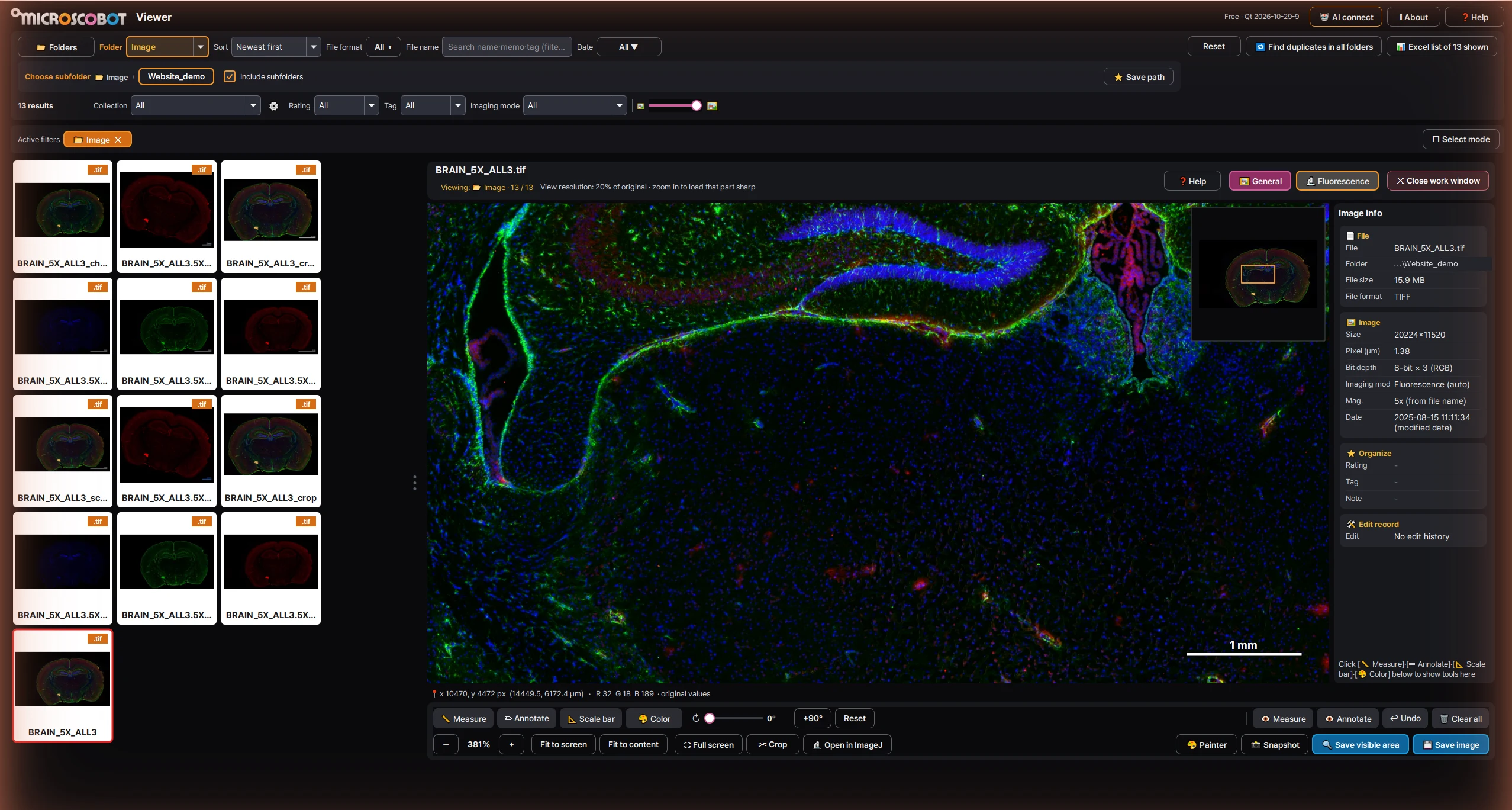
  • One brain-section fluorescence image — 20,224 × 11,520 px (about 233 megapixels)
  • From the whole section down to single cells — zoom in and out without waiting.
03 · ORIGINALS UNTOUCHED

Originals untouched.
Every copy remembers.

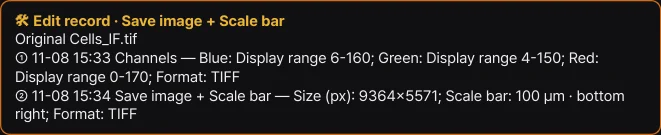
Every edit is a new copy. No overwriting, no delete button.
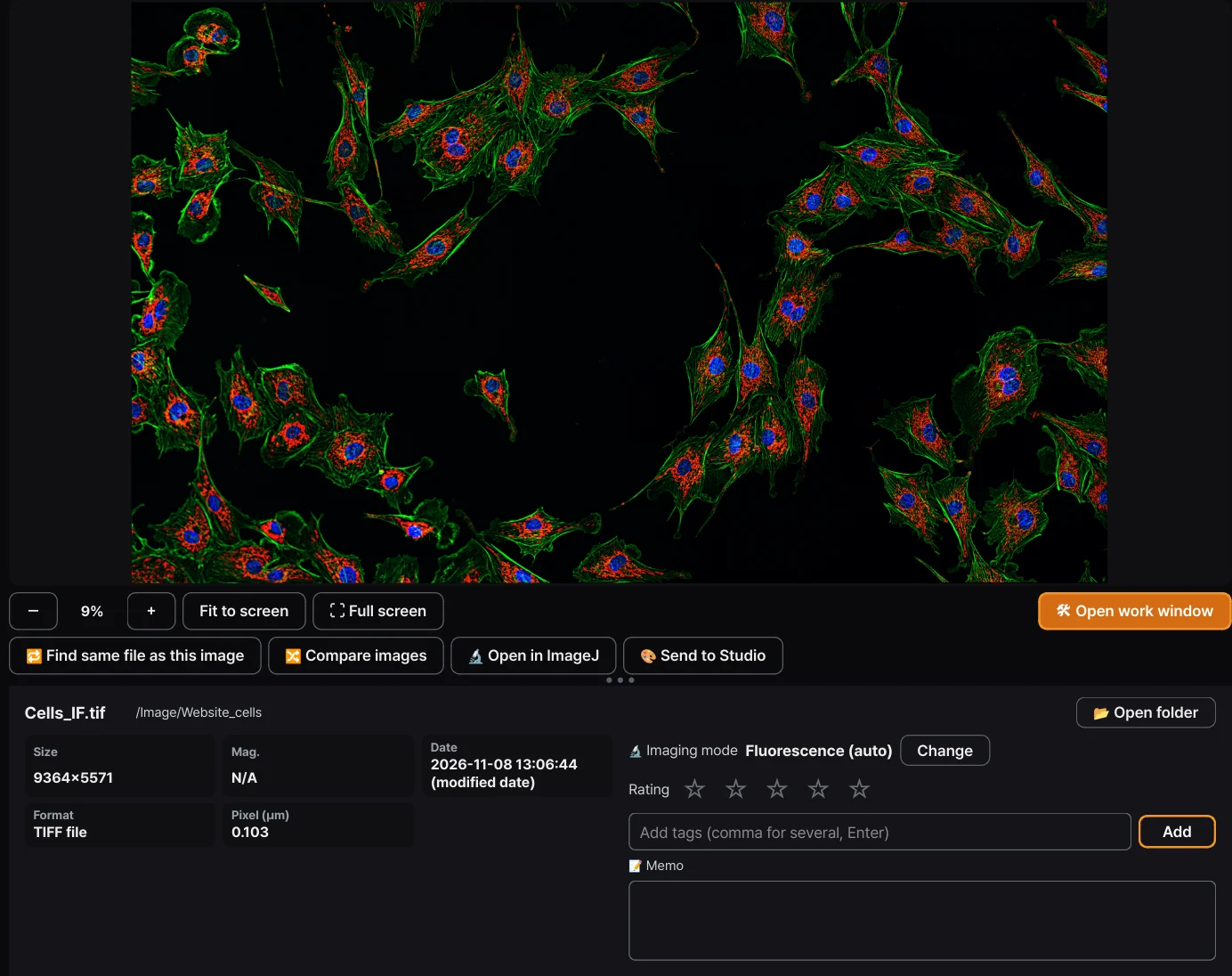
  • Every edit is a new copy — channels, scale bars, crops — saved next to the original
  • Work log (what, which values, when) — automatic, with Excel
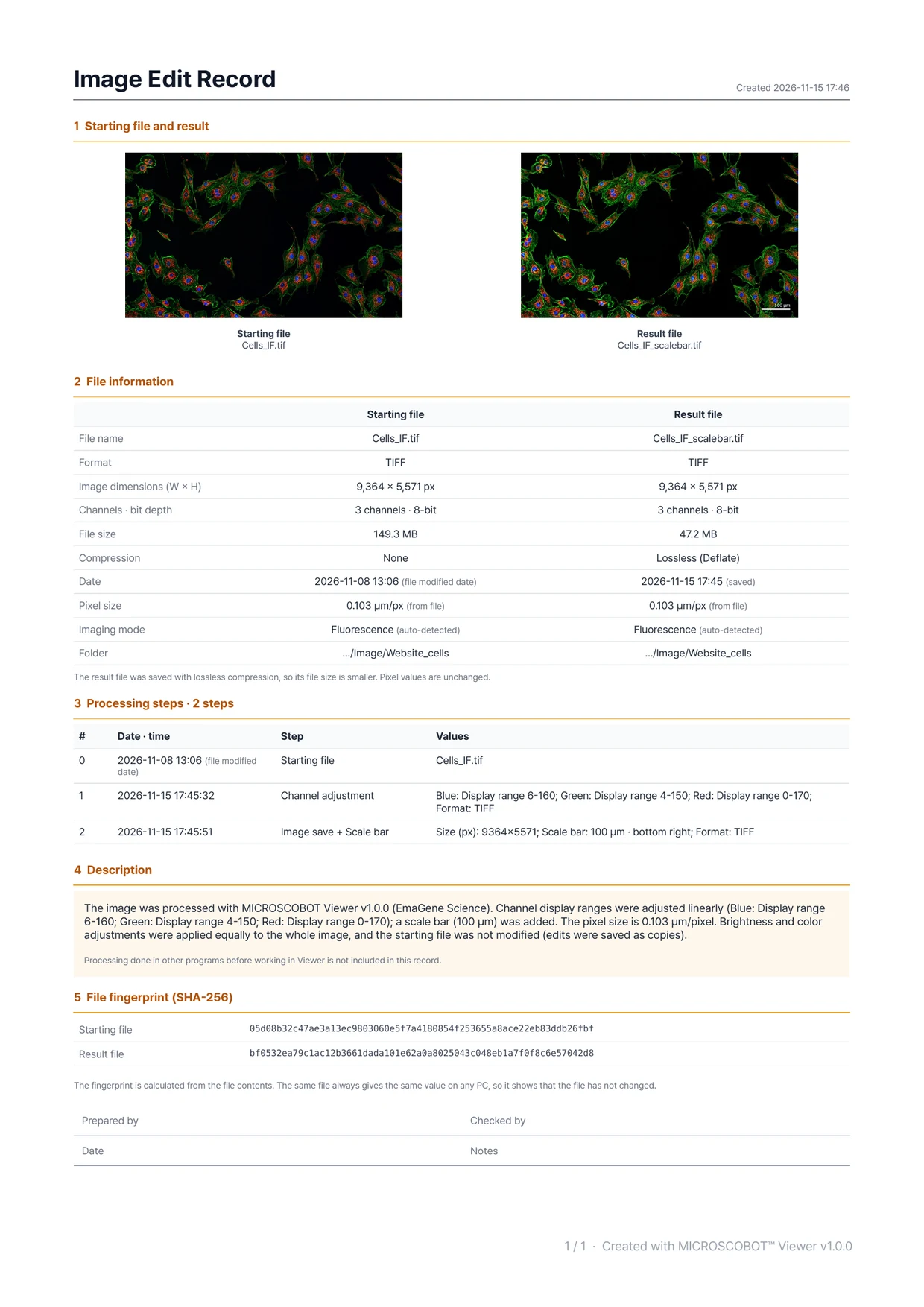
  • Edit record PDF — Processing steps, file information and file fingerprint (SHA-256) in one document, ready for reports and lab notebooks.
  • Measurements and notes saved per image
  • Lossless TIFF, pixel size kept
Original · untouched
Copy · channels adjusted
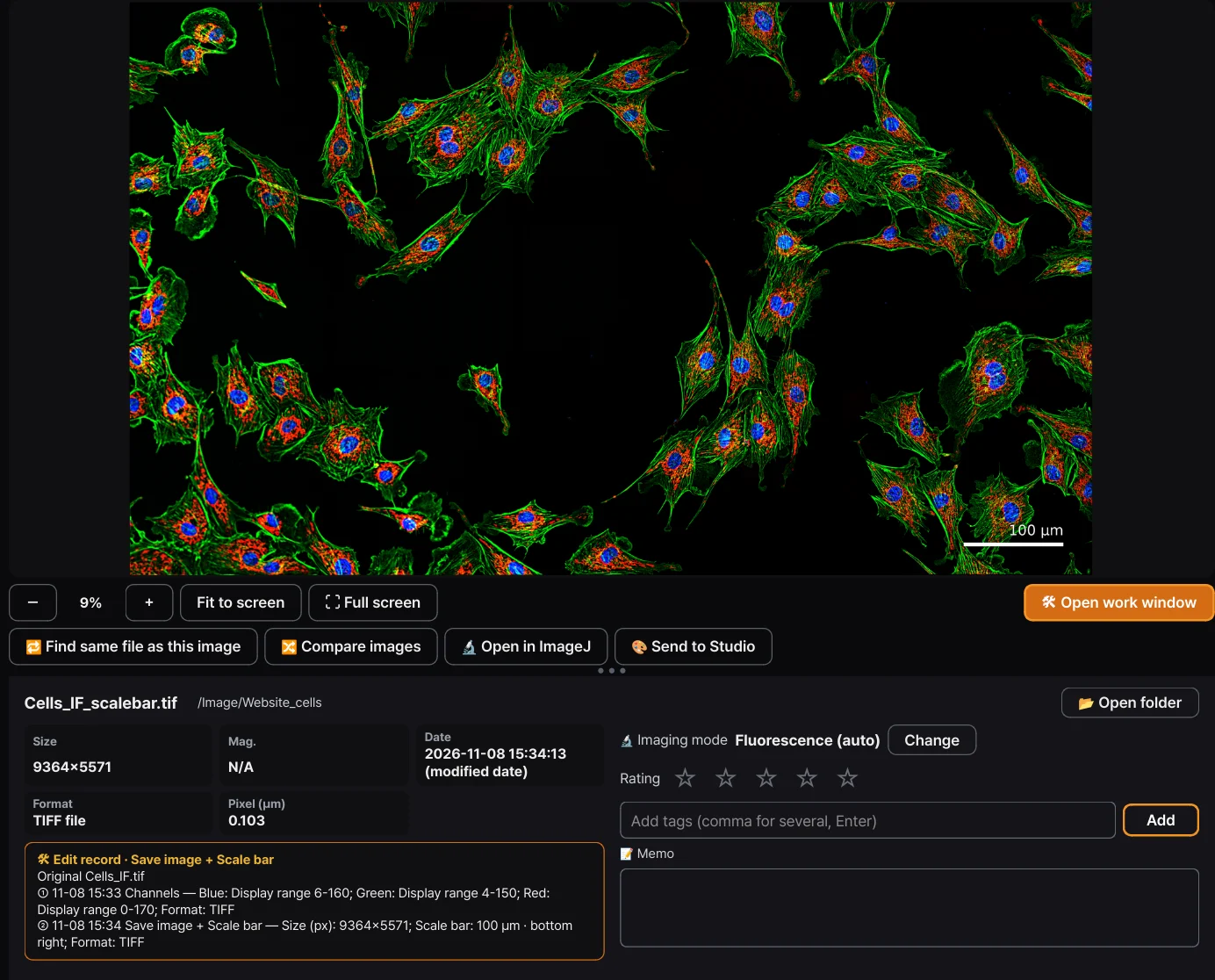
Copy · channels adjusted · scale bar

Zoom채널 조절 작업 기록
Zoom스케일바 작업 기록
  • This is how the work log stays with each copy — what, which values, when.
  • Keep editing a copy, and the log keeps adding up — back to the original.
  • The original and its date stay as they are — only new copies are added.
04 · MEASURE & EDIT

Measure the real values,
not the screen.

Reads and measures the original 8/12/16-bit values.
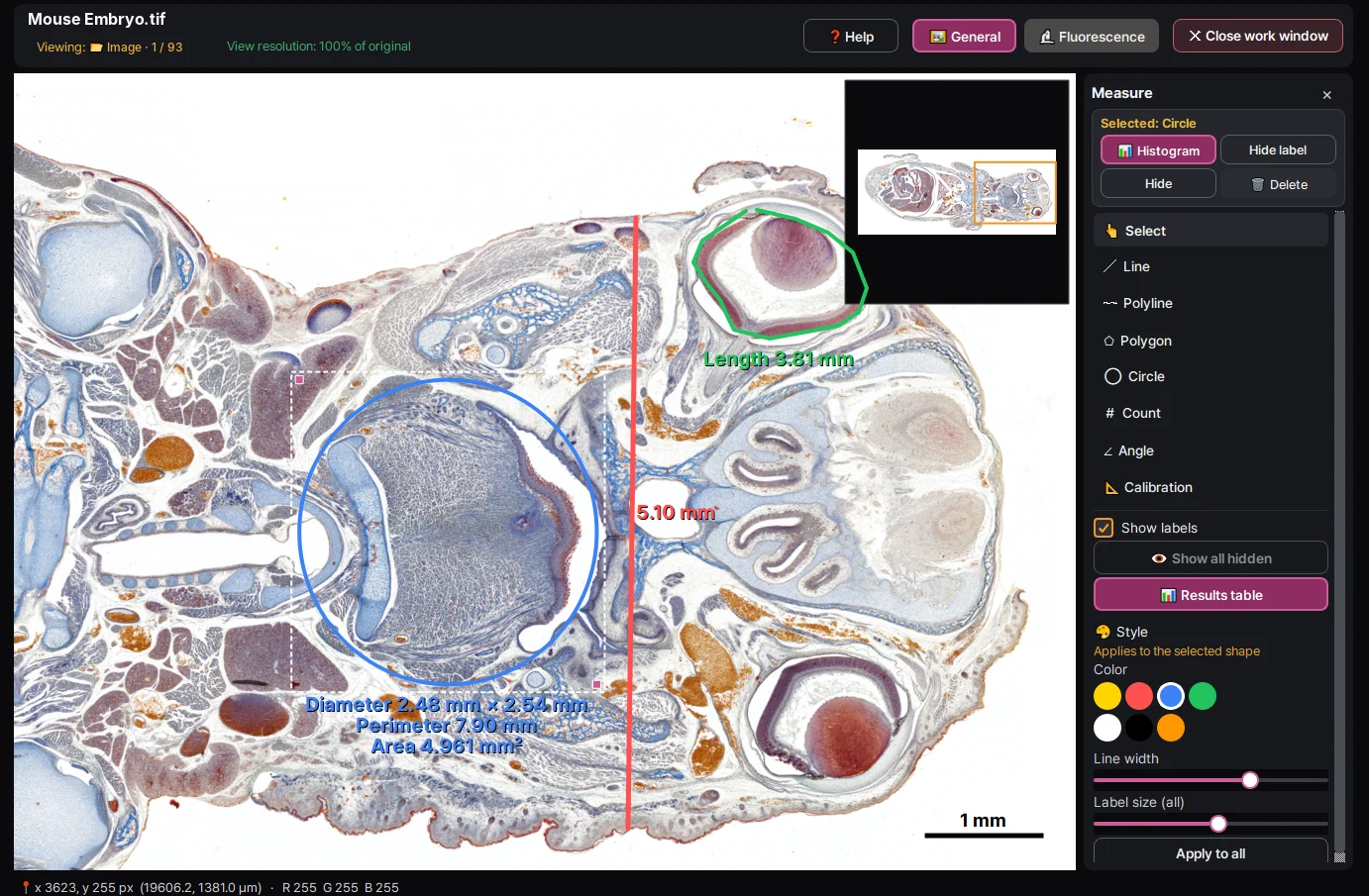
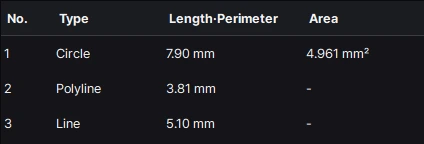
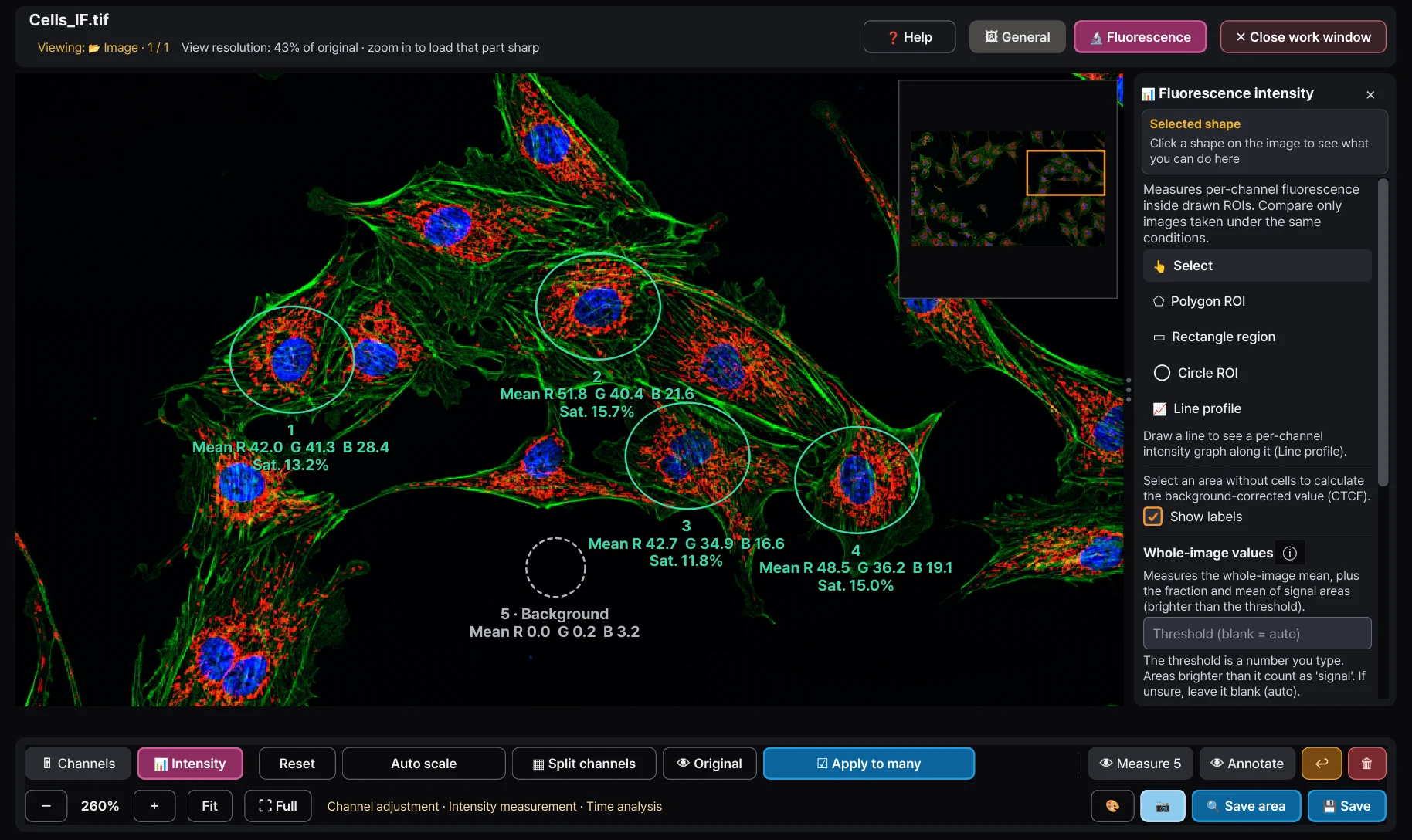
  • Measure — length, angle, area, count, fluorescence intensity & time analysis, tables & Excel
  • Fluorescence channels — background, saturation, intensity, names & colors
  • Split channels, compare 2–4 images side by side
  • Scale bars (batch), annotations, crop
  • Multichannel TIFF · OME-TIFF · ImageJ TIFF
측정
Results table
  • Line, polyline, circle — values in real units (mm·µm), from the pixel size
  • All results in one table — export to Excel
형광 세기 측정
Results table
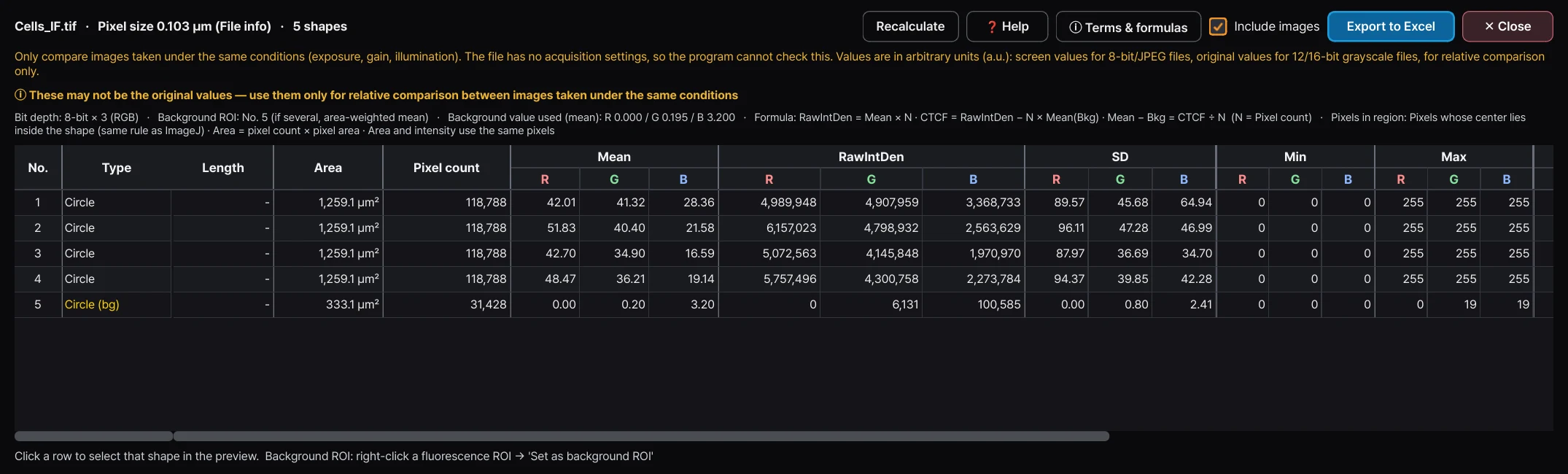
  • Per-channel values — mean, integrated density, background-corrected (CTCF)
  • All results in one table — export to Excel
  • For comparing images taken under the same conditions (a.u.)

This example is an 8-bit RGB image, so screen values are used — and the table says so.
For 12/16-bit fluorescence files, each channel is measured with its original values.

05 · AI-CONNECTED

AI-connected,
not AI-generated.

AI doesn't make your decisions; it carries out your instructions precisely. Images never leave your PC.

Connects with the Claude desktop app (via the MCP standard). Every feature also works without AI.

More about AI-connected →
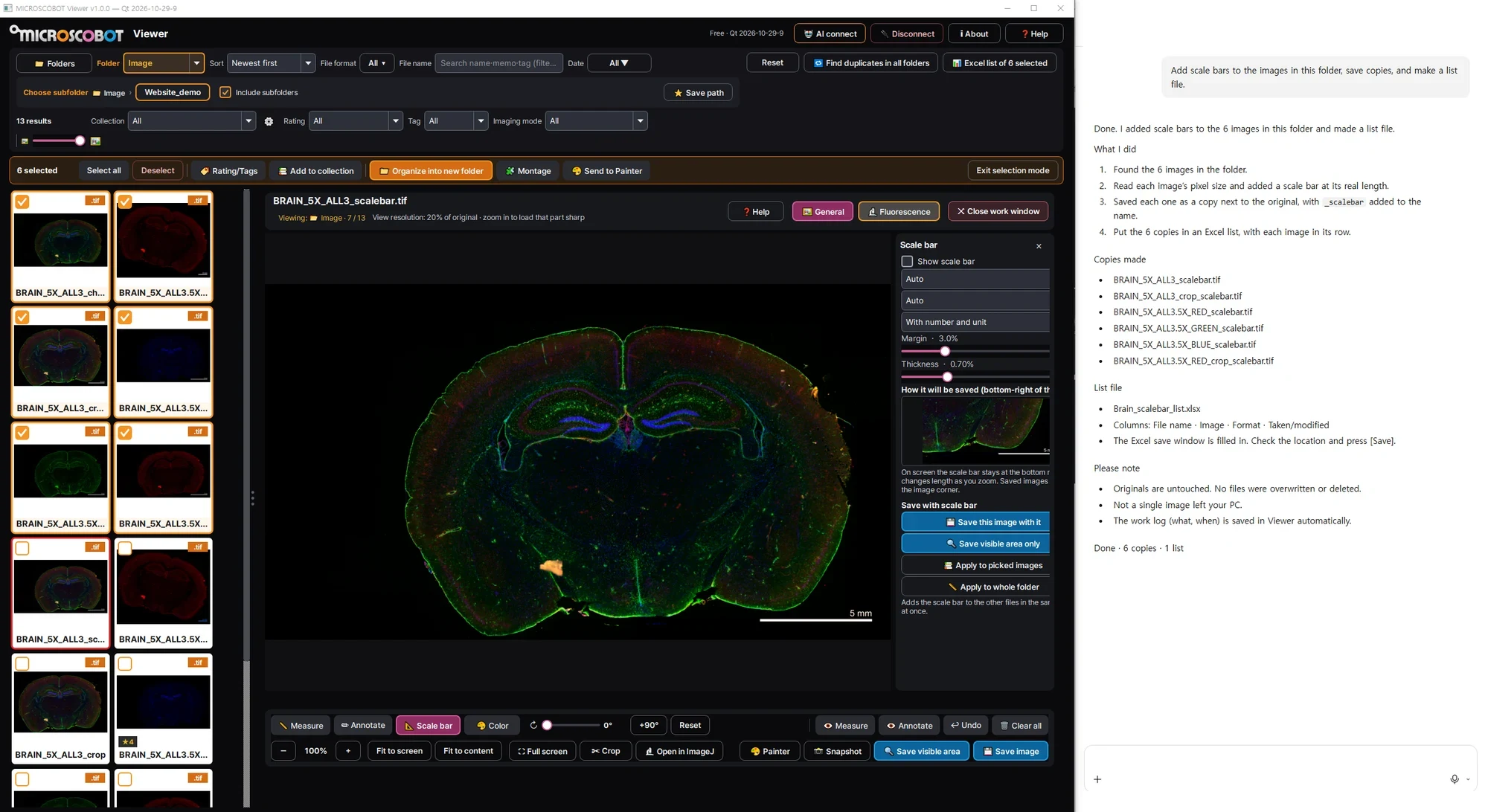
Add scale bars and save to Excel6 images — scale-bar copies + image list
Same channel settings for the restMatched copies + settings comparison
2 controls and 2 treated, side by side2×2 comparison on one screen
AI 연결 실제 화면
  • Real screen · one request → 6 scale-bar copies + image list (incl. 200-megapixel images, about 2 min)

Start now. It's free.

Every feature works without AI.

⬇ Free download for Windows
한국어 · العربية · 简体中文 · 繁體中文 · English · Français · Deutsch · Bahasa Indonesia · Italiano · 日本語 · Português · Русский · Español · Türkçe · Tiếng Việt
One installer, 15 languages · follows your Windows language
Questions while using Viewer? User manual →|Viewer support [email protected]

Join us

MICROSCOBOT is open to everyone. Even a small idea is welcome. Feel free to reach out.

✉ [email protected]